I am a little OCD when it comes to back up. I have an external 750 GB back up hard drive and 1 terabyte external back up of my back up. I have had too many laptop, PC crashes in yrs and I know for a fact that even external hard drive crashes too. Here is a procedure how to back up your purchased files from silhouette store. I had to do this because I bought too many commercial files store and boy they are pricey..
The
entire library folder and the license folder can be copied to a CD and transferred to the same folder on new
machine. The one library folder is accessible to all
users of a machine.
*Silhouette files cannot be shared, they are for the sole use of the original purchaser.
Shapes
Library Folder
Mac
- Open Finder and go to Macintosh HD > Library > Application Support > com.aspexsoftware.Silhouette_Studio.8.
- Copy the entire folder and it’s contents without making any changes
- Paste the files into your back up location.
- Backup again whenever you purchase and download new files.
Windows XP
- Click on Start – My Computer and locate C:\Documents and Settings\All Users\Application Data\com.aspexsoftware.Silhouette_Studio.8
- Copy the entire folder and it’s contents without making any changes
- Paste the files into your back up location.
- Backup again whenever you purchase and download new files.
Windows 7
- Click on Start – Computer and locate C:\Program Files\Silhouette Studio\Resources\resources\com.aspexsoftware.Silhouette_Studio.8
- Copy the entire folder and it’s contents without making any changes
- Paste the files into your back up location.
- Click on Start – Computer and locate C:\ProgramData\com.aspexsoftware.Silhouette_Studio.8
- Copy the entire folder and files contained without making any changes.
- Paste the files into your back up location.
- Backup again whenever you purchase and download new files.
Reinstalling Your Silhouette Design Files on a New Computer
- Download the Silhouette Software by visiting the Silhouette America Web site at http://www.silhouetteamerica.com/software.aspx
- Install the software.
- Mac
- Open Finder and go to Macintosh HD > Library > Application
Support > com.aspexsoftware.Silhouette_Studio.8. , replace the entire
directory and file structure with your previously stored backup files
and folders. Do not change the structure or contents. (See above about
backing up)
Windows XP
- From the Start menu, click on My Computer and locate C:\Documents
and Settings\All Users\Application
Data\com.aspexsoftware.Silhouette_Studio.8 , replace the entire file
with the previously backed up copy. (See above about backing up)
Windows 7
- From the Start menu, click on Computer and locate C:\Program
Files\Silhouette
Studio\Resources\resources\com.aspexsoftware.Silhouette_Studio.8 ,
replace the entire file with the previously backed up copy.
Next, locate C:\ProgramData\com.aspexsoftware.Silhouette_Studio.8,
replace this entire file as well with the previously backed up copy of
that file. (See above about backing up)
License
Folder
Windows XP :
C:\Documents and Settings\All
Users\ApplicationData\com.aspexsoftware.Silhouette_Studio.license
Windows Vista
/ 7 :
C:\ProgramData\com.aspexsoftware.Silhouette_Studio.license
Mac OS X :
MacintoshHD:Library:ApplicationSupport:com.aspexsoftware.Silhouette_Studio.license

.JPG)
.JPG)
.JPG)
.JPG)
.JPG)
.JPG)


.JPG "Thomas the Train Invitations, Banner, Goody bags, Door Sign, Cake Topper")
.JPG "Thomas the Train Invitations, Banner, Goody bags, Door Sign, Cake Topper")
.JPG "Thomas the Train Invitations, Banner, Goody bags, Door Sign, Cake Topper")
.JPG "Thomas the Train Invitations, Banner, Goody bags, Door Sign, Cake Topper")
.JPG "Thomas the Train Invitations, Banner, Goody bags, Door Sign, Cake Topper")

.JPG "strawberry shortcake birthday party invitations")

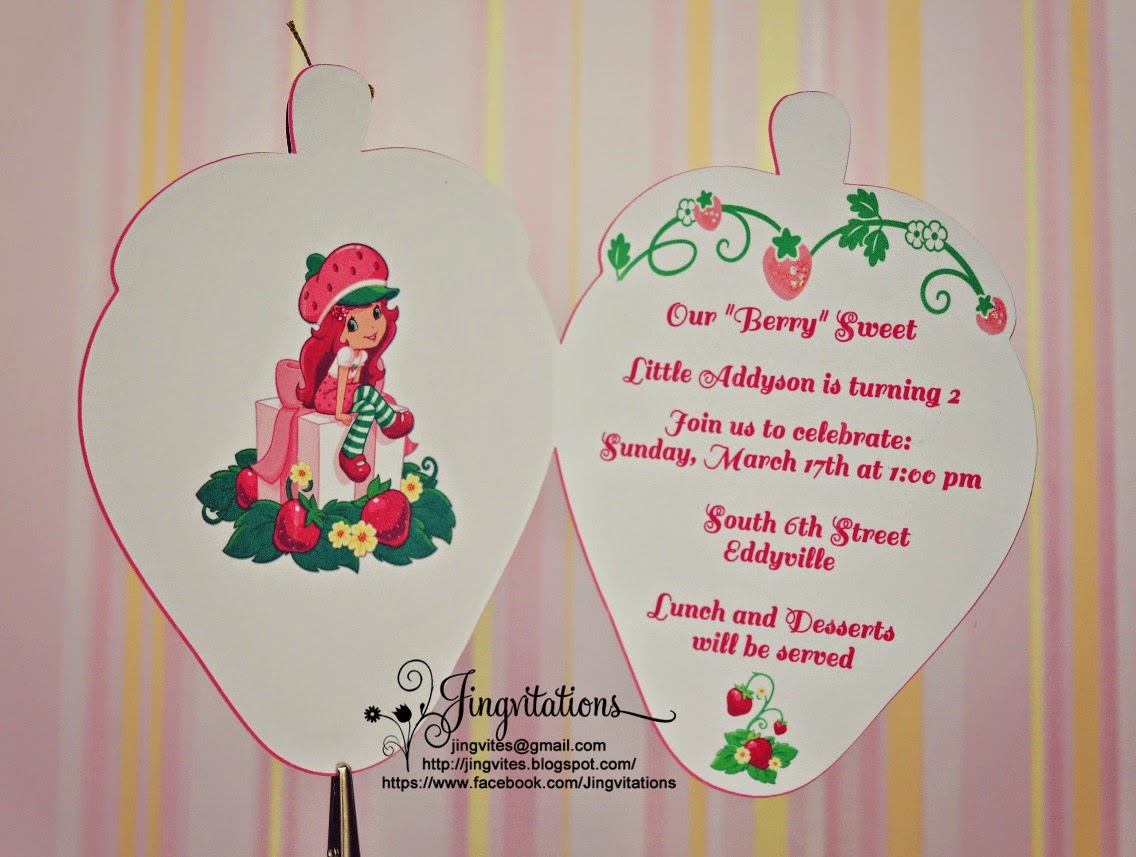

.JPG "strawberry shortcake birthday party invitations")
.JPG "strawberry shortcake birthday party invitations")
.JPG "strawberry shortcake birthday party invitations")
.JPG "strawberry shortcake birthday party invitations")
.jpg "Purse Glamour Fashion Runway birthday Invitations")
.jpg "Purse Glamour Fashion Runway birthday Invitations")
.jpg "Purse Glamour Fashion Runway birthday Invitations")
.jpg "Purse Glamour Fashion Runway birthday Invitations")
.JPG "Purse Bag Glamour Fashion Runway birthday Invitations")
.JPG "Purse Bag Glamour Fashion Runway birthday Invitations")
.JPG "Purse Bag Glamour Fashion Runway birthday Invitations")
.JPG "Purse Bag Glamour Fashion Runway birthday Invitations")


.JPG "hello kitty purple zebra sadari birthday invitation theme")
.JPG "hello kitty purple zebra sadari birthday invitation theme")
.JPG "hello kitty purple zebra sadari birthday invitation theme")


.JPG "Winter Sledding Tubing Birthday Invitations")
.JPG "Winter Sledding Tubing Birthday Invitations")
.JPG "Winter Sledding Tubing Birthday Invitations")
.JPG "Winter Sledding Tubing Birthday Invitations")
.JPG "Winter Sledding Tubing Birthday Invitations")
.JPG "Winter Sledding Tubing Birthday Invitations")
.JPG "Winter Sledding Tubing Birthday Invitations")
.JPG "Penguin Winter Candyland Baptism Invitations")
.JPG "Penguin Winter Candyland Baptism Invitations")
.JPG "Penguin Winter Candyland Baptism Invitations")
.JPG "Penguin Winter Candyland Baptism Invitations")
.JPG "Penguin Winter Candyland Baptism Invitations")

.JPG "hello kitty birthday party zebra invitations")

.JPG "hello kitty hot pink and black zebra invitations")
.JPG "hello kitty hot pink and black zebra birthday banner")

.JPG "hello kitty purple zebra sadari birthday invitation theme")


.JPG)
.JPG)